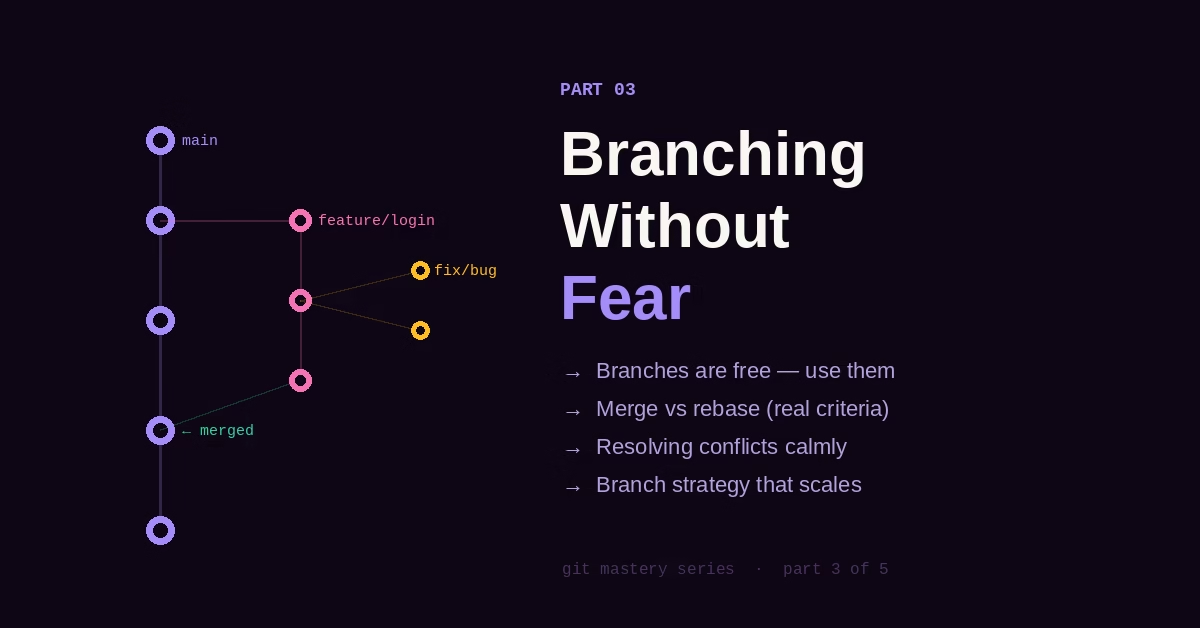
Branching Without Fear

Part 3 of the Git Mastery Series
← Part 2: Committing with Intention | Part 4: Collaboration That Doesn’t Create Chaos →
There’s a type of developer who avoids branches. They work directly on main, commit everything there, and nervously push every fifteen minutes so their work is “safe.” When asked why they don’t branch, they say some version of: “It’s just me” or “Branches feel like extra steps” or “I always mess up the merge.”
The irony is that branching is exactly what makes Git safe. It’s the thing that lets you try something risky without touching working code. It’s what lets you switch contexts instantly without losing your place. The developers who are most afraid of Git are often the ones least using the feature that would remove that fear.
What a Branch Is Letting You Do
From Part 1, you know a branch is just a pointer. But let’s talk about what that means practically.
When you create a branch and switch to it, you’re working in complete isolation. Whatever you commit doesn’t touch main. If you decide the whole experiment was wrong, you delete the branch and it’s gone. main never knew it existed.
git switch -c experiment/try-new-payment-flow
# ... write code, commit, test, realize it's a bad idea ...
git switch main
git branch -D experiment/try-new-payment-flow
# Gone. main is unchanged.
This is the mental model: a branch is a sandbox. Create one freely for every non-trivial piece of work — a feature, a fix, a refactor, even a quick experiment you’re not sure about. The cost is near zero. The safety is real.
A Branching Strategy That Actually Works
There are entire books about branching strategies. GitFlow with its develop, release, hotfix, and feature branches. Trunk-based development. GitHub Flow. They all have tradeoffs.
Here’s the one that works for most teams most of the time:
main          → production-ready code, always deployable
feature/*     → new features, branched from main
bugfix/*      → bug fixes, branched from main
hotfix/*      → urgent fixes, branched from main, merged back immediately
That’s it. No develop branch creating a second place to merge things. No release branches unless you genuinely need staged releases. Keep it flat until you have a specific reason not to.
Naming matters more than developers think. feature/user-login tells you everything. feat-login-new tells you something. johns-branch-v2 tells you nothing and will confuse someone three months from now (including John).
# Names that communicate intent
git switch -c feature/razorpay-integration
git switch -c bugfix/cart-total-rounding-error
git switch -c hotfix/payment-crash-on-null-address
git switch -c refactor/extract-notification-service
Merge vs Rebase: Stop Treating This as a Religion
The merge-vs-rebase debate has taken on an almost theological quality in some developer communities. Strong opinions, passionate defense, occasional contempt for the other side.
Here’s the practical truth: they’re different tools for different situations, and understanding what each one actually does makes the choice obvious.
Merge preserves the full history of how things happened. When you merge feature/login into main, Git creates a merge commit that has two parents — the tip of main and the tip of the feature branch. The history shows exactly when the branch was created and when it was merged. It’s honest.
git switch main
git merge feature/login
# Creates a merge commit with two parents
Rebase replays your commits on top of another branch, creating new commits with the same changes but different parent hashes. The result looks like you wrote your feature on top of the latest main, even if main moved forward while you were working. The history is linear and clean. It’s legible but slightly fictional.
git switch feature/login
git rebase main
# Replays your commits on top of current main
git switch main
git merge feature/login  # Now a fast-forward, no merge commit needed
When to use each:
Use merge when you’re bringing a finished feature into a shared branch. The merge commit is useful — it marks exactly when the feature landed.
Use rebase when you’re updating a feature branch to include recent changes from main. This keeps your branch current without a messy “Merge branch ‘main’ into feature/login” commit polluting the feature’s history.
Use merge for public branches. Use rebase for your private, unpushed work. That’s the rule that resolves 90% of the confusion.
The Fast-Forward and Why It Matters
When a branch hasn’t diverged from its target — meaning main hasn’t had any new commits since you branched off — Git can “fast-forward” instead of creating a merge commit. It just moves the pointer forward:
# main: A → B → C
# feature: A → B → C → D → E
git switch main
git merge feature
# Result: main: A → B → C → D → E (no merge commit)
This is why rebasing before merging produces clean history — after a rebase, your branch is always ahead of main with no divergence, so the merge is always a fast-forward.
If you want to force a merge commit even when a fast-forward is possible (to preserve the record that a branch existed), use --no-ff:
git merge --no-ff feature/loginSome teams do this for feature branches so every feature has a visible merge commit in history. Others prefer the clean linear history of fast-forwards. Both are defensible. The important thing is having a consistent team decision rather than random behavior.
Resolving Conflicts Without Panic
Merge conflicts have a reputation they don’t deserve. They’re not dangerous. They’re just Git telling you: “Two people edited the same area of the same file and I don’t know which version to keep. You decide.”
That’s it. Git is asking a question.
When you hit a conflict:
git merge feature/update-user-model
# CONFLICT (content): Merge conflict in src/User.php
Open src/User.php and you’ll see conflict markers:
<<<<<<< HEAD
protected $fillable = ['name', 'email', 'phone'];
=======
protected $fillable = ['name', 'email', 'role'];
>>>>>>> feature/update-user-model
The section between <<<<<<< HEAD and ======= is what your current branch has. The section between ======= and >>>>>>> is what you’re merging in. You need to edit this into what it should actually be:
protected $fillable = ['name', 'email', 'phone', 'role'];Then:
git add src/User.php
git commit  # Complete the merge
Three things that make conflicts less painful:
Merge small, merge often. A branch that diverges for two weeks will have far more conflicts than one that diverges for two days. The longer you wait, the more painful the merge.
Use a visual merge tool. git mergetool opens a three-pane editor showing the base, your changes, and theirs. It’s significantly easier to understand than raw conflict markers.
Talk to the other person first. The best way to resolve a conflict is to understand why both changes were made before deciding which to keep. A conflict is a conversation waiting to happen.
Deleting Branches: Stop Hoarding
Merged branches should be deleted. Not archived. Deleted.
A repository with 200 stale branches is a repository nobody understands. You can’t tell which branches are active, which are abandoned, which are merged. The signal is lost in noise.
# Delete local branch (after merging)
git branch -d feature/login
# Delete remote branch
git push origin --delete feature/login
# See remote branches that no longer exist locally
git remote prune origin --dry-run
Most Git hosts (GitHub, GitLab, Bitbucket) offer “auto-delete branch on merge” in repository settings. Turn it on. Branches should be cheap to create and quick to discard — not collections you maintain.
The One Branch Habit That Changes Everything
Here’s the habit that separates developers who love Git from developers who tolerate it: create a branch before you start anything, every time, even for small things.
A “quick fix” that turns into a three-hour debugging session is exactly when you need a branch. A “tiny refactor” that somehow requires touching six files is exactly when you need a branch. An “experimental change” you might want to revert is exactly when you need a branch.
The ten seconds to run git switch -c fix/whatever is worth it every single time. It creates a clean separation between “finished, working code” and “work in progress.” It means main is always in a deployable state. It means you can abandon your work cleanly if something higher priority comes up.
Once this habit becomes automatic, Git starts feeling like a safety net rather than a source of anxiety. Because that’s what it is.
Quick Reference
# Create and switch to a new branch
git switch -c feature/branch-name
# Switch to existing branch
git switch branch-name
# List all branches (including remote)
git branch -a
# Merge a branch into current
git merge branch-name
# Rebase current branch onto another
git rebase main
# Delete merged local branch
git branch -d branch-name
# Force delete unmerged branch
git branch -D branch-name
# Delete remote branch
git push origin --delete branch-name
# See branches with last commit
git branch -v
# See which branches are merged into main
git branch --merged main
← Part 2: Committing with Intention | Next: Part 4 — Collaboration That Doesn’t Create Chaos →
If this was useful, I turned the whole series into a 23-page PDF reference — checklists, hook templates, 80+ commands, reflog & bisect deep-dives, and a recovery playbook for 12 real emergencies.



5 Comments